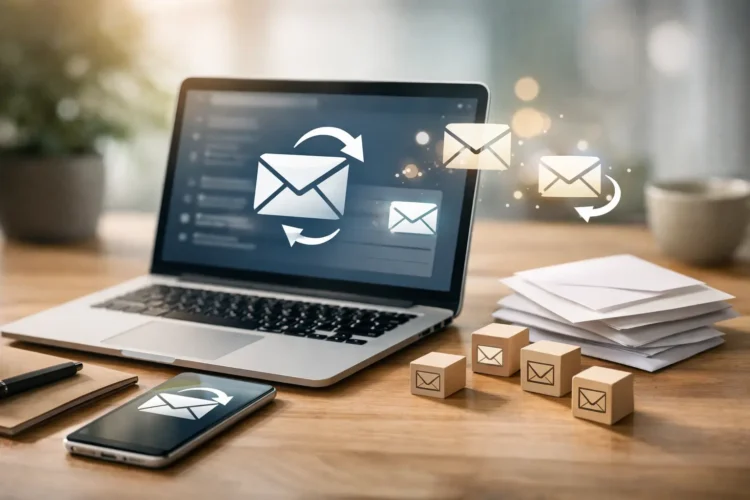





A lead comes in at 8:12 a.m. By 10:00, your office is already buried in calls, estimates, scheduling issues, and team questions. By lunch, that lead is cold or talking to a competitor who replied first. That is exactly why business owners ask how to automate lead follow up without making it feel robotic.
The good news is that lead follow-up automation is not about replacing your sales process. It is about tightening response time, keeping every inquiry moving, and making sure no opportunity gets lost because someone was busy doing real work. When it is built correctly, automation helps you respond faster, stay consistent, and create more sales conversations with less manual effort.
Why automated follow-up matters more than most businesses think
Most companies do not have a lead generation problem. They have a lead handling problem. They spend money on SEO, paid ads, social media, direct mail, and website improvements, then let inquiries sit too long or rely on inconsistent follow-up from a busy team.
That gap is expensive. A fast first response can improve contact rates dramatically, especially for service businesses where prospects often submit forms to multiple companies at once. If your response takes hours or days, you are not competing on quality anymore. You are competing from behind.
Automation fixes the first layer of that problem. It sends the first touch immediately, assigns the lead internally, triggers reminders, and keeps communication moving until a real person steps in or the lead books. It also creates visibility. You can finally see which leads were contacted, which messages performed, and where prospects drop off.
How to automate lead follow up without sounding automated
This is where many businesses get it wrong. They set up a generic drip campaign, send stiff messages, and wonder why results stay flat. Good automation feels timely and organized. Bad automation feels like spam.
The goal is not to build a long chain of messages for every contact. The goal is to map the real buying journey and automate the parts that should happen every time. For most businesses, that starts with speed, context, and a clear next step.
A strong automated follow-up system usually includes an immediate confirmation message, an internal notification to the right team member, a short sequence of reminders or touchpoints, and a trigger that changes the path once the lead replies, books, or becomes unqualified. If your process does not adapt to what the lead does next, it is too rigid.
Start with your lead sources
Before you build anything, identify where leads are actually coming from. Website forms, paid ad landing pages, organic search calls, chat tools, social ads, directory listings, and referral forms all behave differently. A person requesting a roofing estimate is not in the same mindset as someone downloading a legal guide or filling out a contact form for a dental practice.
That matters because the first message should match the source and intent. Someone asking for pricing may need a faster sales-oriented response. Someone requesting information may need reassurance and a softer next step. Automation works better when it reflects why the person reached out.
Define the first five minutes
If you want better conversion rates, focus on the first five minutes after submission. This is the moment automation creates the most value. Send an email or text that confirms receipt, sets expectations, and gives the lead one simple action to take next.
For example, a home service company might send a text that says the request came through and a team member will call shortly. A medical office might confirm that the inquiry was received and ask the patient to expect a call during business hours. A law firm may want a more careful tone that avoids overpromising and encourages a confidential consultation.
The language should be plain, direct, and human. Avoid stiff templates. Use the lead’s name, reference the service they requested when possible, and make sure the message sounds like your business.
The core system you need to build
At a practical level, automated follow-up usually sits on top of a CRM, form system, call tracking platform, or marketing automation tool. The exact software matters less than the logic behind it. If your tech stack is fragmented, this is where custom setup or API integration can make a major difference.
Your system should do a few things reliably. It should capture lead data from every source, route it to the right person or pipeline, trigger the first response instantly, and log every interaction in one place. If your team has to jump between inboxes, spreadsheets, texting apps, and sticky notes, the process will break.
Build stages, not just messages
One of the smartest ways to automate lead follow up is to think in stages instead of isolated emails. A new lead, attempted contact, connected lead, quoted lead, booked lead, and inactive lead all need different treatment.
If a lead has not responded after the first touch, your system might send a second message the next day and create a reminder for a phone call. If they reply, automation should stop the generic sequence and move them into the active sales stage. If they book, the system should hand off to appointment reminders and onboarding communication.
This keeps automation useful instead of repetitive. It also protects your brand. Nothing frustrates a prospect faster than booking an appointment and still receiving messages asking if they are interested.
Choose channels based on urgency and audience
Email is useful, but it is not always enough. For many local businesses, text message follow-up gets faster attention, especially for estimate requests or urgent service needs. Phone call reminders also matter when a lead is high-value or time-sensitive.
That said, there is a trade-off. Text messages feel immediate, but they can become intrusive if overused. Email gives you more room for detail, but open rates vary by industry and audience. The right setup often uses both, with frequency based on lead type. A plumbing emergency and a real estate inquiry should not follow the same communication cadence.
Common mistakes that weaken automation
The first mistake is automating a weak process. If your team does not know who owns incoming leads, how fast they should respond, or when to stop outreach, software will only make the confusion happen faster.
The second mistake is writing every message like a promotion. Early follow-up should focus on relevance and responsiveness, not heavy selling. Most leads want proof that a real business is paying attention and ready to help.
The third mistake is failing to track outcomes. If you do not know which sources lead to booked calls, closed deals, or no-shows, you cannot improve the system. Automation should give you cleaner reporting, not more noise.
A fourth issue is overstandardization. Not every business can rely on off-the-shelf workflows. Companies with multiple service lines, territories, intake rules, or compliance concerns often need custom logic. That is where technical implementation matters. A good automation strategy is not just marketing copy inside a tool. It is workflow design.
What a high-performing follow-up sequence looks like
A strong sequence is short, purposeful, and responsive. It usually begins with an immediate acknowledgment, followed by a second touch if there is no reply, then a human call task, then one or two final attempts before the lead moves to a longer-term nurture track.
For some businesses, that entire process happens over three days. For others, especially in considered purchases like legal, medical, or construction services, the follow-up may stretch longer with fewer touches. There is no universal template that fits every company. The right sequence depends on sales cycle, ticket size, urgency, and how your audience prefers to communicate.
This is also where personalization pays off. Mentioning the requested service, location, or problem can improve response rates. Even simple dynamic fields can make an automated message feel more relevant and less generic.
When custom automation becomes the smarter investment
If your business is generating enough leads that missed follow-up is costing real revenue, basic automation is no longer a nice feature. It is infrastructure. And if your sales process includes multiple departments, complex routing, or disconnected platforms, custom automation often outperforms one-size-fits-all setups.
That might mean connecting your website forms directly to your CRM, syncing call tracking with ad sources, assigning leads by service area, triggering different workflows by campaign, or building reporting that shows which follow-up steps actually produce revenue. This is where a partner that understands both marketing execution and technical systems can give you an edge.
Mindful Coding Solutions works with businesses that need more than templates. They need lead handling systems that match how their teams actually sell and serve customers.
Measure what matters after launch
Once automation is live, watch response time, contact rate, booked appointments, close rate, and lead source performance. If response time improves but booked calls do not, the issue may be your message quality or offer. If contact rates are strong but sales stay flat, the handoff from automation to your team may need work.
The point is not just to save time. The point is to create a faster, cleaner path from inquiry to revenue.
The best follow-up system is the one your team will actually use, your prospects will actually respond to, and your business can improve over time. Start with speed, build around real behavior, and let automation handle the repeatable work so your team can focus on closing the right opportunities.